7 Signs You’ve Outgrown Your Coworking Management Software

Most coworking spaces start with off-the-shelf software — and that is exactly the right call. The issue arises when your coworking space management software no longer aligns with your business operations.
Operational friction often builds quietly. Employees develop workarounds, managers add spreadsheets to fill gaps, and the software that once felt like a solution starts generating its own overhead. What looks like a subscription cost on a balance sheet is rarely the full picture. The real total includes additional modules, manual reconciliation hours, error correction, and the operational restrictions that quietly limit what your team can do.
But not every limitation signals a need for custom development. Some friction dissolves with better configuration. Some requires migrating to a more capable platform. And some — the kind that consistently blocks growth — may call for something built specifically around your operation.
This article identifies seven concrete signs that your current system has become a ceiling rather than a foundation. It also explains how to evaluate configuration, migration, and custom development as honest responses to each one. The most telling sign tends to show up in your team's daily routines — specifically, in what they are doing around the software rather than inside it.
Sign 1: Your team still relies on spreadsheets and manual workarounds
When spreadsheets become load-bearing infrastructure, your coworking management software is no longer doing its job.
This pattern is easy to miss at first. A team member exports a member list to cross-check against a payment ledger. Another maintains a separate tab to track desk availability. Each workaround feels like a reasonable fix — until the fixes multiply. What begins as a shortcut becomes the primary system, and the official platform becomes just one input among several.
In practice, this creates a category of work that never appears in a job description but consumes hours every week. Common examples include:
- Manually copying booking confirmations into a billing spreadsheet
- Reconciling member balances across two or more disconnected tools
- Updating access permissions by hand after a payment is processed
- Maintaining a duplicate member database outside the core platform
- Exporting reports to reformat data the system cannot produce natively
Scaling amplifies every one of these tasks. As membership grows, the number of manual handoffs and potential errors grows with it. Administrative errors become more likely precisely because accuracy now depends on human consistency across parallel records, not on a single reliable source of truth.
The critical distinction here is between a temporary workaround and a structural platform limitation. A workaround fills a gap while a better process is developed. A structural limitation means the platform itself cannot support the operation without human intervention — and that gap never closes on its own.
If your team has normalized these manual steps, the next question worth asking is where else the disconnects are hiding — particularly in how bookings, billing, and access control talk to each other.
Sign 2: Bookings, billing, memberships, and access are disconnected
Disconnected systems do not just create inconvenience — they create operational debt that compounds with every new member you add.
Picture a common scenario: a member pays for a hot desk package, but the payment processor and your coworking software do not share status information. The booking platform has no way to verify that payment cleared, so a staff member checks manually before confirming the reservation. The access control system, sitting in its own silo, has not received any signal at all. Someone still has to issue a key fob or update a PIN. When three systems cannot talk to each other, your team becomes the integration layer.
This distinction between closed and open API architectures matters enormously here. Limited or closed APIs can prevent systems from exchanging the data and actions required by the operator. A sufficiently capable API can allow payment status, booking confirmation, membership tier, and access permissions to be synchronized automatically. A cancelled membership, for example, should immediately revoke door access — not after a staff member notices the discrepancy on Monday morning.
The downstream cost is real. Employees spend measurable time each week reconciling inconsistencies that connected systems would resolve in milliseconds. And as your member count grows, so does the surface area for errors. That friction does not stay internal, either — members experience it as a space that feels disorganized.
If your locations are each compounding this problem independently, the challenge scales in a way that is difficult to reverse without rethinking the architecture entirely.
Sign 3: Each location is managed as a separate business
When your coworking space software treats each location as its own silo, scaling from one site to several quickly becomes an operational burden rather than a business achievement.
Fragmented management forces your team to repeat tasks across different systems.
Member records are the most immediate casualty. Without a unified database, a member who joins your downtown location and later wants to drop into your midtown space has to re-register, re-verify, and sometimes re-pay a deposit. That friction weakens the cross-location experience that a multi-site network is supposed to provide.
Financial reporting suffers in parallel. When each location runs its own books and exports its own utilization data, consolidating performance across the network becomes a manual reconciliation exercise — the same spreadsheet dependency covered earlier, just at a larger scale. Operators lose the ability to compare desk utilization, revenue per square foot, or peak booking windows across sites in real time.
Local administrators still need location-specific permissions. The right coworking space software balances that autonomy with centralized visibility, allowing a site manager to control their floor plan without obscuring network-wide data from ownership. Without that balance, you either over-restrict local staff or grant access levels that compromise data integrity.
Solving these structural gaps often exposes a related challenge: even when locations are unified in one system, the pricing and membership rules governing each site may be too complex for the platform to handle.
Sign 4: Your pricing and membership rules no longer fit the platform
When standard membership tiers cannot reflect how your business actually prices its services, your coworking membership management software has become a constraint rather than a tool.
A clear indicator is when administrators frequently create manual exceptions for pricing the system cannot model. Corporate accounts negotiated at custom rates, shared credit pools distributed across a team, or tiered overages that kick in after a set number of included hours — these requirements can become increasingly common as a coworking business adds corporate clients, locations, and more flexible membership models.
Location-specific pricing compounds the problem further. A desk in your downtown flagship may carry a different rate than the same desk category at a suburban site. If the platform treats all locations under a single pricing structure, operators are forced into workarounds that introduce billing errors and erode member trust.
Special booking limits and cancellation conditions follow the same pattern. Corporate contracts often carry negotiated grace periods or penalty-free cancellation windows that differ from standard terms. Capabilities vary significantly by product and subscription tier, so the gap may be addressable within your existing vendor. But if manual calculations are a daily occurrence, that is a signal worth investigating.
That kind of workflow friction often points to a deeper problem: the platform's integration layer itself.
Sign 5: API and integration limits block critical workflows
An API can exist in name while still failing to expose the data or trigger the actions your coworking operation actually needs. That gap is where growth stalls.
A limited API is not the same as a functional one. In practice, operators discover this when they try to connect their coworking booking system to tools they already depend on — payment gateways, accounting platforms, CRM systems, access control hardware, or automated notifications. The connection may technically exist, but the required data fields are missing or the action cannot be triggered programmatically.
The limitations typically surface in four ways:
- Required data cannot be retrieved — member usage history, invoice details, or credit balances are locked inside the platform with no export path.
- Required actions cannot be triggered — check-ins, booking confirmations, or membership changes must be handled manually inside the dashboard rather than through automated rules.
- Employees rely on CSV imports and exports to move data between systems, turning a five-minute sync into a recurring manual task with real error risk.
- The platform supports only selected vendors, forcing you to replace tools that work well for your business simply because they fall outside an approved partner list.
Closed or limited APIs do not just slow down individual tasks — they constrain how your entire operation scales. Every manual workaround adds operational overhead that compounds as member count grows. When you find your team bridging systems with spreadsheets rather than automated data flows, the integration layer has become a ceiling.
That overhead tends to show up most clearly in reporting.
Sign 6: Reports do not answer management questions
When your coworking management software generates charts but cannot answer the questions management actually asks, you have a reporting problem — not a data problem.
Most platforms surface totals. What operators need is context. The gap between exporting a spreadsheet and receiving actionable operational intelligence is where coworking businesses quietly lose control.
In practice, the questions management asks are specific:
- Utilization by location and resource type — which desks, offices, and meeting rooms are actually performing, and where capacity is being wasted
- Revenue by location, plan, and service — not a single blended number, but a breakdown that reveals which membership tiers and add-ons drive margin
- Outstanding payments — aged by member, plan, and location, not buried inside an export file
- Booking cancellations and no-shows — patterns that signal friction in your member experience
- Usage of included credits — whether members are consuming what they pay for, or leaving value on the table
- Performance of different membership plans — renewal rates, upgrade paths, and revenue contribution over time
A common pattern is that operators build secondary spreadsheets to answer these questions manually. That workaround has a real cost — and that cost compounds as your operation grows.
Sign 7: Licensing, add-ons, and workarounds keep getting more expensive
The true cost of coworking management software is rarely what appears on the invoice. What looks like a manageable monthly subscription often expands into a layered expense structure that quietly erodes margin.
The real price of your platform is the sum of every cost it generates — not just the line item on your credit card statement.Start with the base subscription, then add any per-member or per-location charges, paid modules, integrations, support services, and migration costs. None of these expenses is automatically unreasonable, but together they can make the total cost substantially different from the advertised entry price.
Employee time is the cost that rarely appears on any software audit. When staff spend hours reconciling booking data, manually issuing invoices, or cross-referencing spreadsheets to answer a member query, that labor has a dollar value. Multiply even a few hours per week by an annual salary, and the number becomes difficult to ignore.
Errors and delayed processes carry their own price: a missed renewal, an incorrect charge, or a misconfigured access credential can damage member trust in ways that take longer to repair than any software migration.
And perhaps the most underestimated cost is what the platform prevents you from doing. If a required workflow — tiered pricing, multi-location membership, or a new revenue stream — cannot be implemented without a custom workaround, the platform is not just costing money. It is limiting growth.
That distinction matters when weighing whether to stay, switch, or build.
Off-the-shelf vs custom coworking software: how to decide
Choosing between your current platform, a competing SaaS product, and custom development is ultimately a question of where the friction actually originates.
The right tool is the one that matches your operational complexity — not the most sophisticated option available.Keep your current SaaS when configuration, not capability, is the limiting factor. Many platforms have features that operators never fully activate. Before assuming the software has failed, audit what you have. A pricing rule buried in settings may already solve the problem a spreadsheet is currently handling.
Migrate to another ready-made platform when the required workflow exists in the market but not in your current tool. A different SaaS product may already support multi-location dashboards, dynamic pricing, or the access control integrations your space needs. Migration carries disruption costs, but tends to work better than building something that competing platforms already offer.
Consider custom development when your business operates under genuinely proprietary rules — complex membership tiers, franchise-level integrations, branded customer experiences, or multi-location requirements that no standard product supports. However, custom is rarely the fastest path forward.
The disadvantages are real. Custom systems require a significant initial investment, ongoing maintenance, infrastructure ownership, security responsibility, and continued product development as your needs evolve. There is no universal cost claim that applies; total cost of ownership must be evaluated against your specific revenue, complexity, and growth trajectory before any decision is made.
WAPP coworking case study and decision checklist
Every coworking operator eventually reaches a decision point: configure what you have, replace it with an alternative platform, or build something purpose-fit. The right choice depends on whether your current system supports your operation or hinders it.
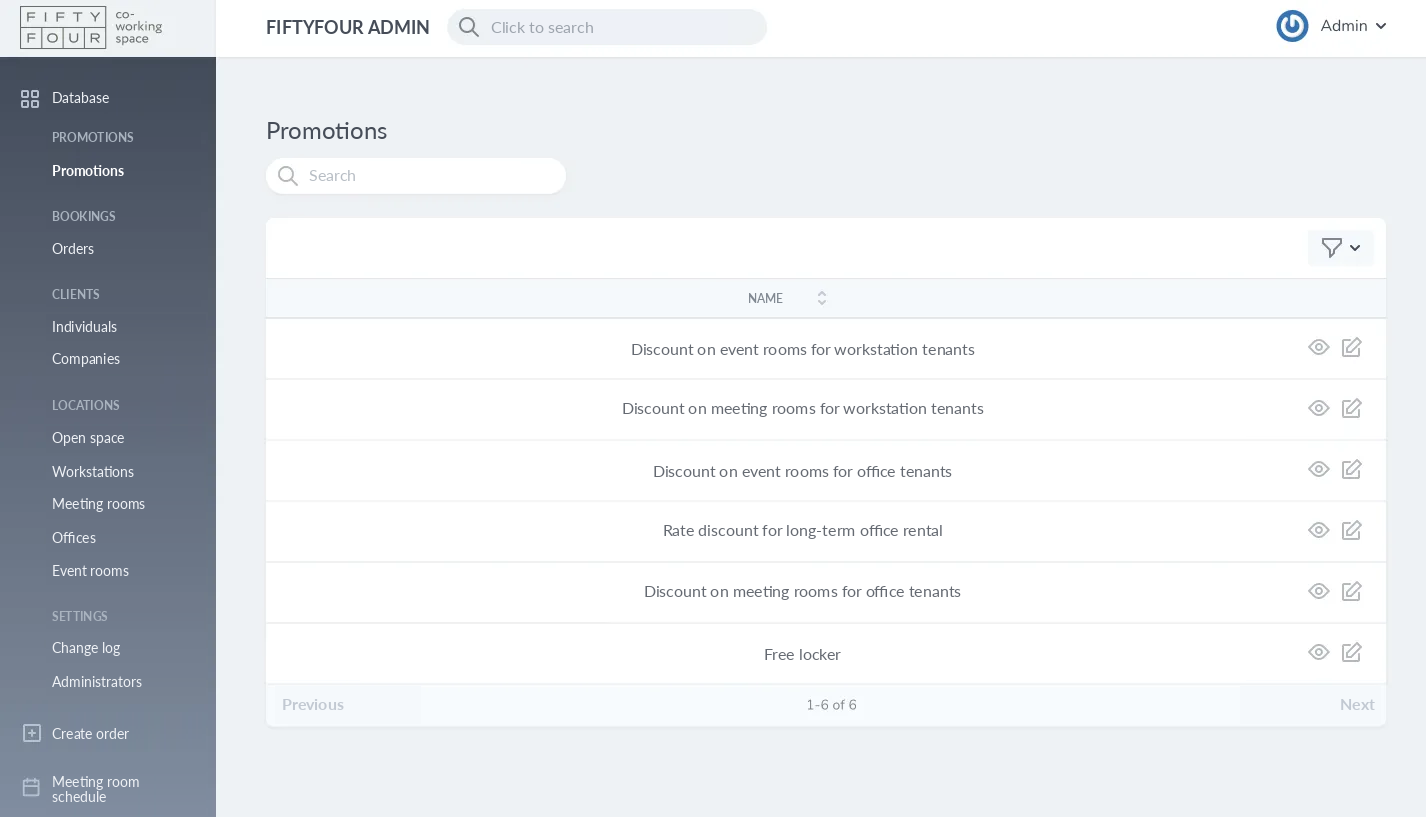
The WAPP Fiftyfour project shows a purpose-built solution in practice. It includes resident and administrator portals, workspace and meeting-room booking with an interactive map, online payments, and connected membership and resource management — all within a single system. Bringing these workflows into one system can reduce the number of gaps where manual work tends to accumulate.
Read how WAPP approached these workflows in the Fiftyfour coworking platform case study.
If your current platform requires constant workarounds, describe how your booking, billing, membership, and access processes work today. WAPP can prepare a preliminary feature map and help determine whether configuration, migration, or custom development is the more reasonable option.
Before committing to any path, work through these questions honestly:
- Pricing and booking rules: does the platform handle your actual membership tiers, day passes, and room rates — or do you bend your pricing to fit the software?
- Spreadsheet dependency: are critical processes still running outside the system?
- Connected workflows: are payments, memberships, bookings, and access control linked, or siloed?
- Multi-location management: can every site be administered from one interface?
- Integration feasibility: are the third-party connections you need technically supported?
- Reporting quality: does the data you pull actually inform decisions?
- True total cost: add subscriptions, add-on modules, manual labor, and workaround time together.
- Maintenance ownership: if you build custom, who supports it after launch?
If these questions reveal significant gaps, it is time to change the system rather than add another workaround.
More on booking, billing, memberships, and access control is available on the WAPP coworking solutions page.