Business process automation: where to start and what to automate first

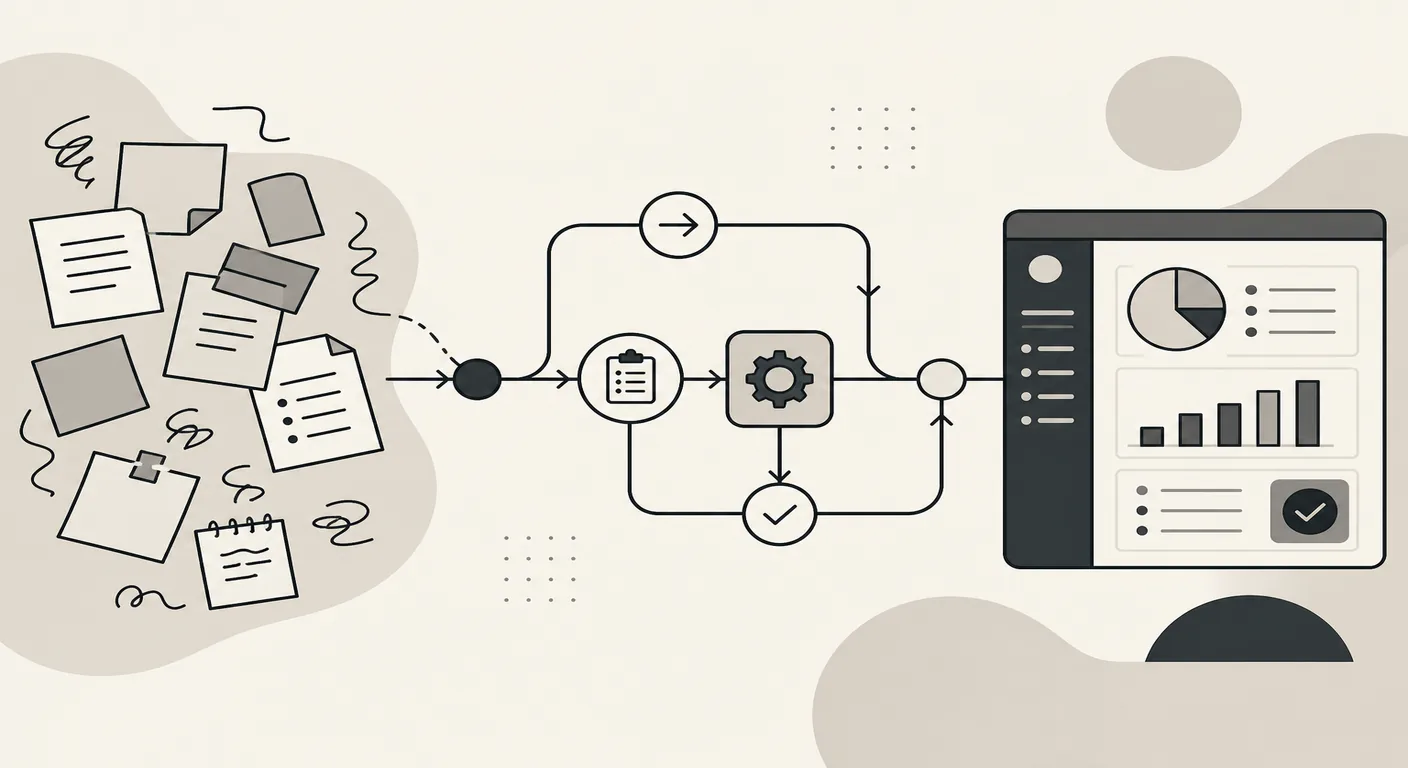
You spent another half-day moving data from one spreadsheet to another, answered 40 identical emails, and forgot to call three clients back. The problem is not discipline. The problem is that you are doing by hand work a machine finishes in seconds.
The question is no longer whether business process automation is needed — it is where to start so you do not burn the budget. This piece is a full breakdown: from signs it is time to act, through implementation stages, to the mistakes even experienced teams trip over.
When business process automation pays off — and when it is premature
Business process automation is not a magic pill. Sometimes it saves hundreds of hours a month; sometimes it creates problems where there were none. In our experience, roughly every third automation request ends with a conversation that says it is still too early. Here is why.
When automation is premature
First case: the process is still unsettled. The company has launched a new sales stream, the manager changes how requests are handled every month, leadership is still experimenting with the funnel. If you automate a process that reshapes itself every three or four weeks, you will rebuild the system faster than you can finish shipping it. Money goes into a solution that is outdated before launch.
Second: the volume of operations is too small. Say an employee spends 15 minutes a day manually moving data from email into the CRM. Yes, it is routine. But automating it will cost more than a year of that work. Cutting 15 minutes will not recover project spend or ongoing support.
Third: a ready-made cloud service fully covers the need with no customization. Client email campaigns may need only a standard tool; project management may be fine in Kaiten. Building your own platform where off-the-shelf software solves the job in a couple of hours of setup is a mistake mid-market and enterprise companies make often.
When automation pays off
Now the other side. Three main signals make it clear: it is time.
Repetitive operations eat a meaningful share of working time. A sales manager spends two hours a day moving data between spreadsheets — that is 40 hours a month. A full headcount that does not sell, but copies cells. Here, company process automation delivers measurable results in the first month, and department efficiency grows without hiring.
Process errors cost money. If an employee mixes up an invoice amount, forgets to send a document to a client, or loses a request, the business loses revenue. You cannot manage the human factor forever: training, controls, and checklists only go so far. Automated checks and approval routes remove that risk.
Scaling requires linear hiring. The company grows, order volume rises, and the only way to keep up is to hire more people for the same routine tasks. Every new hire must be found, onboarded, and supervised. Business process automation lets you grow without a proportional headcount increase.
Why an audit before you start matters
It is easier to see where the organization stands from the outside than from within. That is why every project starts with analysis: which workflows are actually ready for automation, and where you should put order in place first. That audit keeps budget off what is not ready yet and helps shape a digital transformation strategy. For how this looks on a real project, see the Spektrokhim case.
An honest stance — talking the client out of it when it is clearly too early — saves both sides time, resources, and nerves. In my view, that is the only approach where automation implementation later actually delivers results.
Signs it is time for the business to change approach
Here is what an expert team most often sees when it arrives for a business process audit. Problems are rarely stated directly. People say “we cannot keep up” or “we need a CRM.” But when you break workflows down step by step, the same signals surface. If you recognize at least two from the list below, manual work is already holding the business back.
Information is moved from system to system by hand
A manager gets a website lead by email, copies the client contacts into Excel, then enters them into the CRM, then duplicates them in 1C to issue an invoice. The same data is typed three or four times. Every entry costs time and risks errors: a typo in a phone number, a missing letter in an address, the wrong amount. Several hours a week go into a task that system-to-system integration solves without people involved.
Data diverges across systems
In the CRM deals are closed; in 1C there is no payment; in the logistics spreadsheet the status is different again. Leadership asks for a report and sees three different numbers from three people. Without a single source of truth, fast decisions are impossible. In our experience, data mismatch is often the main driver of chaotic management as the company grows.
Leadership reports take half a day or longer
If building a full picture of monthly sales means gathering data from several places, merging it in Excel, and calculating metrics by hand — that is a signal. Reporting should not be a project. In a well-configured system, a report takes minutes. When it takes half a day, the business pays twice: for employee time and for late decisions based on stale figures.
Growth’s first response is to hire another person
More requests — hire another manager. More documents — another accountant. More clients — another operator for inbound. That works up to a point, then operating costs eat the margin. If every growth stage requires expanding staff for routine work, the company’s business processes need automation. Not because people are failing, but because repetitive operations are more efficiently done by a system.
Critical processes live in one employee’s head
This is, I think, the most dangerous signal. One specialist knows how to form a shipment, how to calculate bonuses, how to export data for tax. They go on leave — and execution stops. They leave the company — and the business loses not a person, but a process. The issue goes deeper: the process must be described and fixed first, then automated. But the fact that knowledge lives in someone’s head rather than in information systems shows the business depends on the human factor where it should not.
Any one of these signals alone is unpleasant. Two or three at once is a systemic problem that will only grow as the company develops.
Business process analysis: what exactly gets automated
Once the signals are clear, the natural question is: what can you automate? Company business process analysis usually surfaces five areas where manual work eats the most time.
Accounting and data work
Collecting, storing, and syncing data across systems. The “before” picture: a sales manager enters an order in Google Sheets, accounting duplicates the same data in 1C, the warehouse keeps its own Excel. Three sources, three versions of the truth. After automation, data is entered once and distributed to the right databases. That is routine reduction in its pure form. For how this works in the lab industry, see our breakdown of 1C integration for laboratories.
Document flow
Generating documents — invoices, contracts, acts, commercial proposals. “Before”: an employee opens a template, fills in details, checks amounts, sends it for approval by email. Each document takes from ten minutes to an hour. “After”: an electronic document management system pulls client data from the CRM, builds the document from a template, and sends it for signature. The manager spends half a minute instead of half an hour. Result: faster deals, less human factor.
Handling requests and inquiries
An inbound website request, an email, a chat message, a call — all of it must be logged, assigned to owners, and tracked. Without automation, requests get lost and client communication becomes chaotic. With automatic notifications and routing, every inquiry lands in the CRM and the owner gets a task. Client interaction becomes transparent, and service quality rises. For how this looks in practice at an edtech company, see the educational technology case.
Reporting and analytics
Leadership wants to see weekly sales, average check size, team performance. “Before”: someone spends half a day gathering reports, merging sources, building charts in Excel. “After”: a dashboard updates automatically and shows key metrics in real time. That lets you use analytics for decisions based on current numbers. Analytics stops being a large-business luxury and becomes a working management tool.
Integrations between systems
The most undervalued part of business process automation. The company already has 1C, a CRM, a website, messengers — but each service lives alone. Employees act as “translators” between programs. Integrations stitch these tools into one system: an order from the site lands in the CRM automatically, then in 1C, and the client gets Telegram notifications. For a full solution with integrations in logistics, see the logistics platform example.
All five areas are connected. But start with the area where time and resource loss is highest — and move to the next only when the first one runs stably.
Business process automation technologies: three solution options
Once the company knows which process to automate first, the question becomes: how exactly? Business process automation technologies come down to three options. Each has strengths and weaknesses, and the choice depends not on trends but on the concrete situation in the business.
Ready-made boxed solution (SaaS)
Cloud services such as amoCRM or MoySklad cover typical tasks: sales management, inventory, website lead handling. Launch is fast, cost is predictable, team training is simpler. But there is a ceiling. If company processes differ from “market average,” the system starts to resist. You can only configure it within what the vendor built in. And another point: data lives on someone else’s servers — a question of security, confidentiality, and dependency.
Fits when the task is standard, the team is small, and there is no budget for development.
Extending an existing system
Most companies already run 1C or a CRM. The logical step is to grow the product you have already paid for. For example, a lab tracks reagents in 1C but records analysis results in Excel. You can extend 1C to cover that as well.
The main problem with this path is “crutches.” Every customization adds complexity, and at some point the system becomes fragile: an update breaks a custom module, and new hires do not understand why the “Generate report” button needs three prior steps. The more industry specificity you have, the higher the risk of hitting the platform’s architectural limit.
Custom development
The third option is to build a business process automation system from scratch: a web app, an internal platform. Fully aligned with your processes, no compromises. But more expensive at the start and slower to first result. Without a solid brief and team involvement, the project turns into an endless build.
When is it justified? When the process is unique to the industry, when ready-made tools fall short, when you need deep integration of several systems into one environment. For a large enterprise with non-standard workflows, this is often the only option that gives full control over product evolution.
Which option to choose
In practice, a pure single-option choice is rare. More often you use a mix: accounting and document flow stay in 1C, while specific business logic (for example, project management with industry quirks or complex client interaction scenarios) moves into a separate contour. That approach saves money on standard tasks and invests in development only where it is truly needed.
My honest criterion: if a ready-made service covers 80% of needs, take it. If it covers less than half and the rest is patched with manual work, look toward customization or a custom build.
Why “accounting system + separate contour” works better
This pairing — an accounting program plus a separate contour for specifics — consistently outperforms trying to fit everything into one product. Here is why.
The accounting system does its job
Bookkeeping, payroll, warehouse accounting, electronic document flow — these are standard processes. They are the same for a chemical laboratory and a logistics company: accounting is typical, and specificity lives elsewhere.
The same principle works in coworking: billing and access move into their own contour, while bookkeeping stays in the accounting system. 1C and similar platforms handle standard tasks well because the vendor updates the system for legislation changes, reporting forms, and tax rates. The company does not spend resources maintaining what already works.
Problems start when you try to add industry specifics into that same system. Technically it is possible — through customizations, external processors, non-standard configurations. But every update risks breaking those add-ons. Result: employees start bypassing the awkward parts. For more on why lab staff bypass LIMS, see a separate article.
A separate contour for specifics
When unique company processes live in their own module or app, the picture changes. The accounting system keeps updating and stays compliant. The separate contour evolves for concrete business goals — without the limits of a boxed product.
The link between contours runs through controlled integration. Each contour owns its domain. The Spektrokhim project confirms this: bookkeeping stayed in 1C, and the full lab operations cycle moved into a separate system. Staff stopped moving data between spreadsheets, error rates dropped, and protocol turnaround sped up.
Why this beats a single system
The main reason is simple: two specialized systems, each doing its job well, are more reliable than one universal system that does everything mediocrely. The standard contour is cheaper to maintain. The specific contour is easier to evolve — no foreign architecture constraints, and the interface is built for real users.
There is another factor: change control. When you need a new report or a reworked approval logic, changes touch only one contour. There is no risk that customizing sample accounting breaks payroll. For the business, that means faster improvement rollout and calm after every release.
Implementing business process automation: stages from audit to scale
From technology choice to action. Business process automation implementations fail not because of bad software, but because of missing sequence. Below are six stages, each with its own job.
Business process analysis: capture how things work today
First step — describe current processes not in someone’s head, but on paper or in a diagram. Who does the work, how they get information, where they pass the result. Analysis finds bottlenecks — points where the process stalls, errors appear, or an employee does work that is easier to automate. Without this, the solution is built on guesses. For how this analysis looks on a real project, see the Spektrokhim example.
Prioritization: pick one process, not ten
After analysis you usually see several problem areas. The temptation is to automate everything at once. That is a mistake. Better to choose one or two processes with the best “pain / solution cost” ratio.
A simple scoring rule: frequency × effort per cycle × cost of error. There are usually enough daily routines that take hours of staff time. For example, manual entry from orders into the accounting system: done dozens of times a day, minutes per operation, and an error means returns and lost clients. That is the first candidate.
Design: describe how the process should work
At this stage you describe the target process — not “we want it faster,” but a concrete sequence of actions. How the system receives data, which processing rules it applies, whom it notifies and in what form.
This is also where you choose technology and automation tools: extending an existing CRM, integrations with 1C, building a separate service. From that description comes the technical brief. Documentation locks in core requirements and timelines. Without it, development turns into an endless “and let’s also add this.”
Pilot on one segment
This is the most undervalued stage. Launching in a limited perimeter — one department, one stream, one operation — lets you gather feedback from real users before the solution scales company-wide.
A pilot shows whether the system works in real conditions. Problems surface here: the interface is awkward, approval logic misses exceptions. Fixing that on a pilot is fast and cheap. Fixing it after a full launch is expensive.
Do not skip the pilot. It is not an “extra” stage — it is budget insurance.
Train employees from day one, not after release
The main mistake: design the system, launch it, and only then show it to staff. The result is predictable — people sabotage new tools and keep accounting by hand. Corporate culture and people management resist change when it is imposed without explanation.
Training should start by involving end users at the analysis stage. When an employee helps design the system, they treat it as their own. Some companies even run internal online courses on new tools — that speeds adaptation and helps roll out automation without team resistance.
Scale: connect the remaining processes
When the pilot delivered results, training is done, and the team stably uses the new system — you can connect other streams and units. Scaling is easier if the architecture lets you add modules without rewriting the core. That is why technology choice at design time matters so much: a solution built for one department may not hold the load of the whole enterprise.
Why automation projects fail
Most business process automation failures are not about software. Problems start earlier — at the level of decisions people make. Here are five scenarios that repeat from project to project.
The system was designed without the people who will use it
Leadership decided, the integrator built, employees received a finished product. Then — quiet sabotage. People bypass the system and keep parallel Excel ledgers. Not because they are difficult — because it is inconvenient. Nobody asked about their real workflows. End users must take part in design from day one. Otherwise the company gets an expensive tool nobody uses.
Chaos was automated
If the process is not tuned, automation only speeds up the mess. A manager handles requests “however it goes,” document approval rules change every time — and all of that is moved into CRM or ERP “as is.” Result: the system works, but works poorly, because crooked logic was built in. Before automating company processes, describe them and cut unnecessary steps.
No sponsorship from the first person
Automation implementation always means change. Change touches interests. A sales head may not want a transparent funnel because lost clients become visible. Accounting may resist electronic document flow. If the CEO is not personally involved, the project dies at middle management. Without first-person will, no business management system takes root.
Trying to do everything at once
The company decides to automate accounting, request handling, project management, marketing and ads, reporting, and HR in parallel. Budget scatters; no stream reaches a working state. Six months later — team fatigue, overspend, and zero result. Practice shows: better to finish one process and get a measurable effect than to launch five parallel streams.
No measurable success criteria
“We want to optimize work” is not a goal. It is a wish. If you did not lock specific metrics before start — request handling time, input error count, task completion speed — you cannot evaluate the result later. Without clear metrics, the project becomes endless customization. And the money is already spent.
If you recognize your situation in even one of these scenarios — it is not a verdict. But it is a signal to reshape the approach before costs grow further.
Frequently asked questions about business process automation
Below are the questions owners and leaders ask most often before a project starts. Answers are short and direct.
Takeaways: the first step toward systematic automation
Everything covered in this article comes down to three points.
Process first, software second
The main mistake is starting with platform choice. CRM, ERP, custom build — these are tools. They are useless until you have an honest description of how work actually happens today. Not “how it should work” and not “what the policy says,” but how employees act every day. Where they move data by hand, where requests get lost. Without that analysis, automation implementation is a lottery. Using AI at this stage can help build an accurate process map through software modeling and tighten planning.
One process finished beats ten halfway done
Companies try to automate everything at once. The result is predictable: no stream reaches a working state, the team is tired of change, the budget is spent. Successful experience shows: better to take one process, bring it to a state where automated operations run without manual support, collect user feedback, measure the result — and only then scale. That makes it easier to earn team trust and open further optimization across the organization.
Architecture saves money
The third idea is about long-term savings. Accounting stays in a standard system: 1C, CRM, electronic document services. Business specifics move into a separate contour. That pairing avoids overpaying for customization and forcing a boxed product. This is not an abstract recommendation — in concrete projects it cuts total cost of ownership several times over the first two or three years. The approach holds across industries — from production and inventory management to supplier work and processing large volumes of client data.
What to do right now
Take a sheet of paper or open a note on your phone. List five repeating tasks you or your employees do every day. Mark the one that takes the most time and requires no decisions — only mechanical actions. That is your first automation candidate. Finding that process is already half the work.
If you want to go deeper — the WAPP team runs company process audits: helping implement automation, identify optimization opportunities, and choose the right tools. Audit access comes without obligations or hard sell at the start. Just a breakdown of your situation from people who run these projects regularly. More on the topic is in our blog, where we publish news, cases, and practical guides on automation.