
Key Takeaways
- LIMS sabotage usually comes from awkward UX that fights real wet-lab workflows
- Watching how analysts actually work helps design systems that cut retyping time
- Involving end users early reduces the risk of buying expensive software nobody uses
- ISO/IEC 17025 automation works when the system helps — not when it adds another control layer
- Choosing a LIMS needs market comparison plus UI requirements for gloves, fogged goggles, and floor tempo
The site or the system is down. Or worse — it works, and the team ignores it. A company rolls out a laboratory information management system (LIMS) to digitize processes and pass ISO/IEC 17025 assessments with confidence. A month later the manager walks into the lab and sees the old picture: analysts write readings in notebooks and spreadsheets, and type final numbers into the program only before going home. On the surface everything “works — don’t touch it.” In the founder’s head it looks different: automation spend does not pay back, and the software meets quiet resistance. This article is about how to repair engagement with LIMS.
How expensive software becomes a coffee coaster
Lab digitalization is rarely a whim. It usually follows lost tenders because protocols ship too slowly, or painful findings from assessors. Leadership allocates a budget, picks a vendor with shiny dashboards in the pitch deck, and issues an order: “From Monday we work the new way.”
The first weeks look promising. The vendor trains staff; an admin creates accounts. Then the system meets daily load in the middle of a shift — and the process breaks.
First, chemists complain that the app is slow. Then it turns out registering an urgent sample requires a full client card even though the contract is not signed yet. Tasks that used to take five minutes stretch to half an hour. Quiet rebellion grows in break rooms, and the interface becomes a storefront for auditors — disconnected from what happens on the benches.
Why analysts write numbers on sticky notes
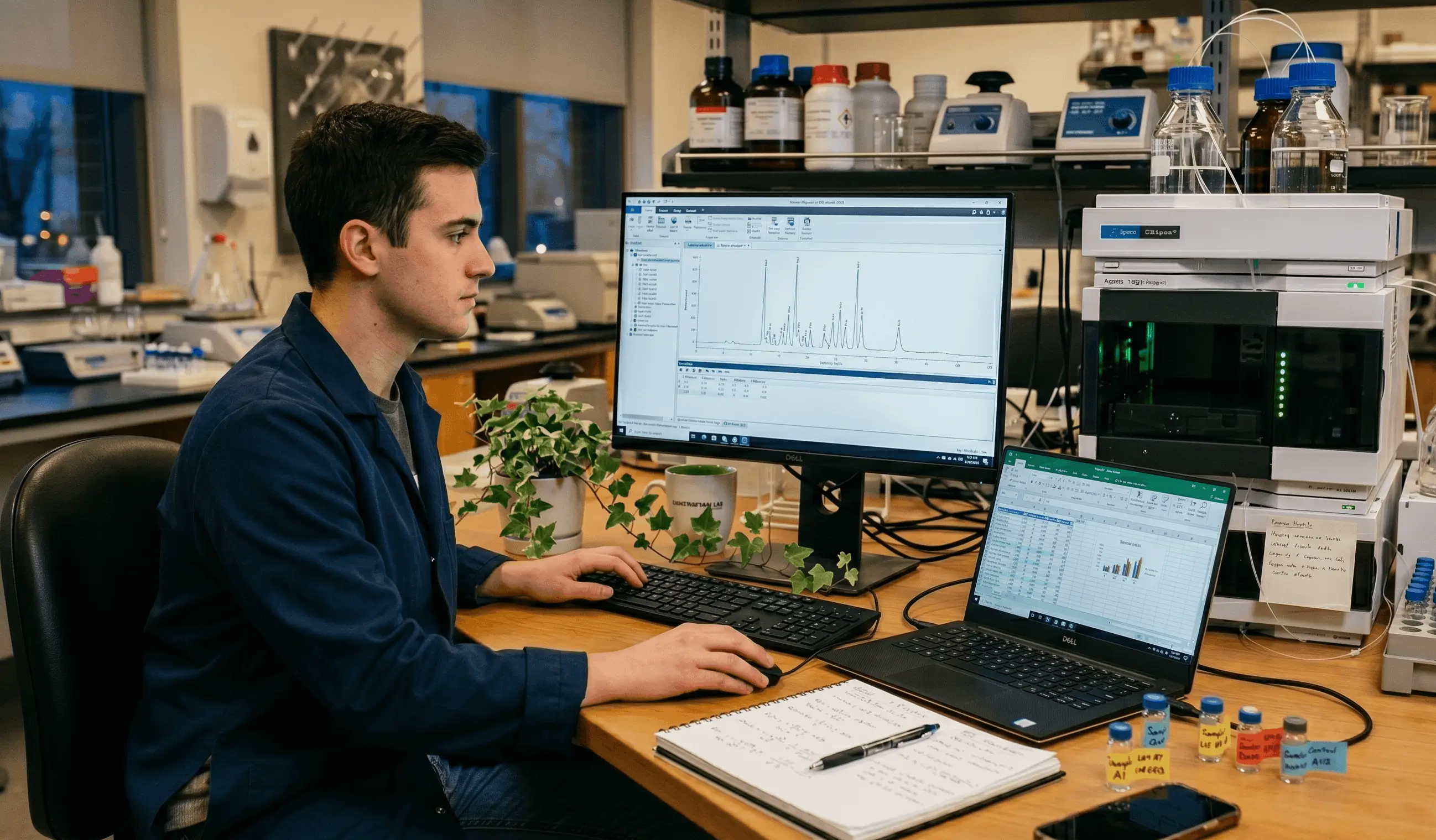
Say Vitaly works a lab shift. He stands at a fume hood. Thick nitrile gloves on his hands, safety goggles on his face. Sample prep is running, a hot plate is heating, a centrifuge is spinning. He needs to capture an exact weight now.
Vitaly walks to the PC with LIMS open. To enter one number he must:
- Remove gloves — the trackpad or touchscreen does not respond through them.
- Enter a password because the session timed out for security.
- Find the sample in a registry of a thousand rows.
- Open a form with twenty fields, half of them required.
Vitaly is not stupid or lazy. He is stuck in a UI that contradicts physical reality. To keep the reaction on track, he grabs a pen and writes the mass on a paper napkin or the back of his hand. An awkward system invites floor-level sabotage.
The cost of a typo when copying into Excel
When primary data lives on napkins for a while, it inevitably moves into Excel. That feels like a compromise for staff — until human error hits.
Imagine company X that QC-checks incoming raw materials. Because LIMS was awkward, people kept draft calculations in spreadsheets. One day a tired analyst copied a correction factor into the wrong cell. The wrong result entered the official protocol, and company X rejected a raw-material batch worth tens of millions. When the supplier ran an independent check and exposed the calculation error, company X had to cover losses and defend its accreditation in court.
Spreadsheets create an illusion of control. Formulas break with one accidental keystroke, change history is unreliable, and results can be altered without a trustworthy trail. Excel in an accredited lab is a slow fuse under reputation.
Why analysts need to stand behind the chemist
WAPP’s rule: the system adapts to people — it does not break habits. Interface books say that; in practice analysts rarely leave office chairs.
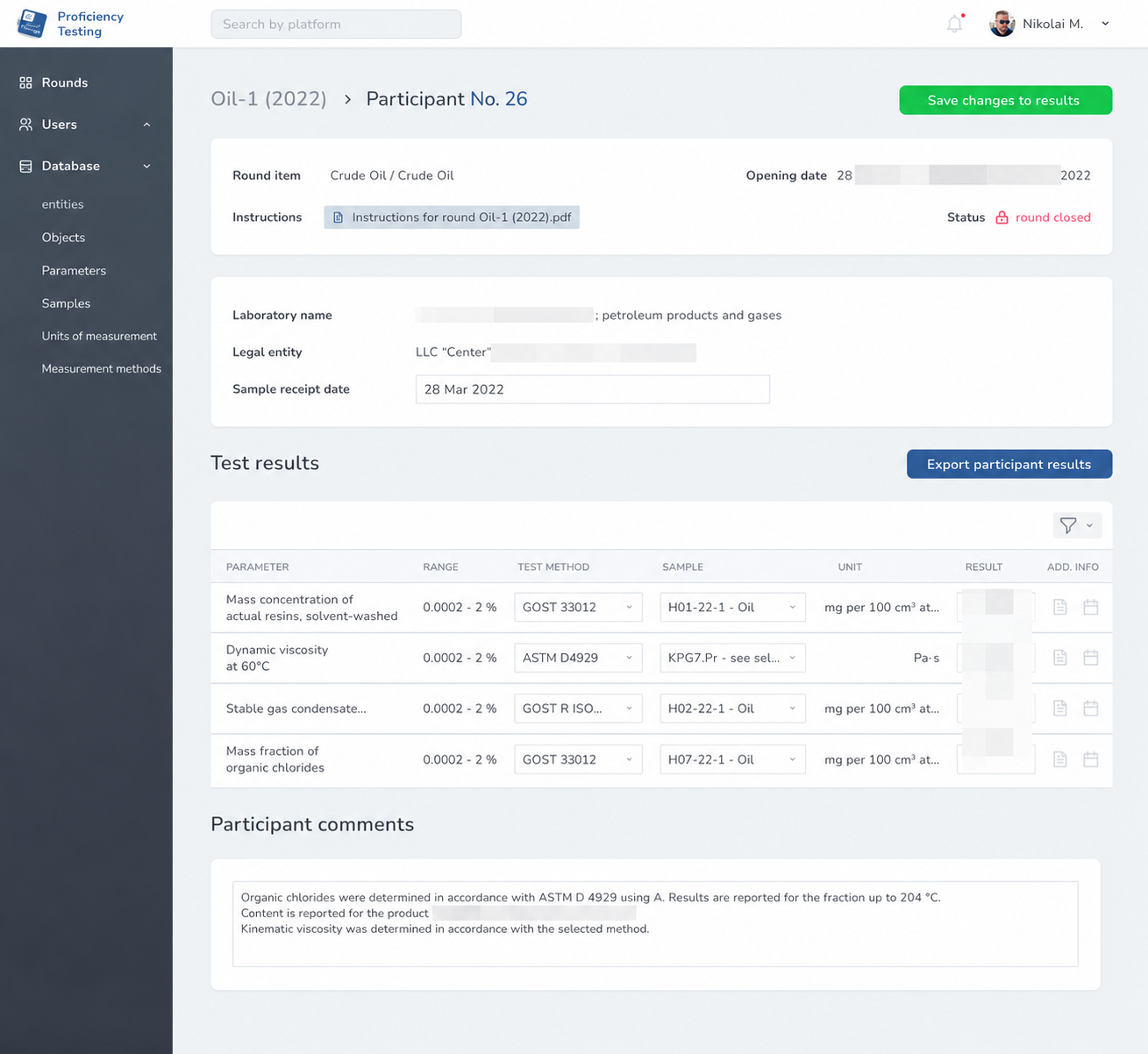
On the Spektrokhim project the first job was not code — it was immersing in lab processes. Analysts joined video calls and watched how people worked. Visiting on site was not possible: the lab runs interlaboratory comparisons (proficiency testing), and access is restricted.
Standard desktop web patterns failed in this niche. The team dropped deep nested menus and overloaded screens. Instead they used one screen — one primary action. Font contrast went up so text stays readable through fogged goggles, and hit targets grew large enough that thick gloves on a tablet cannot miss.
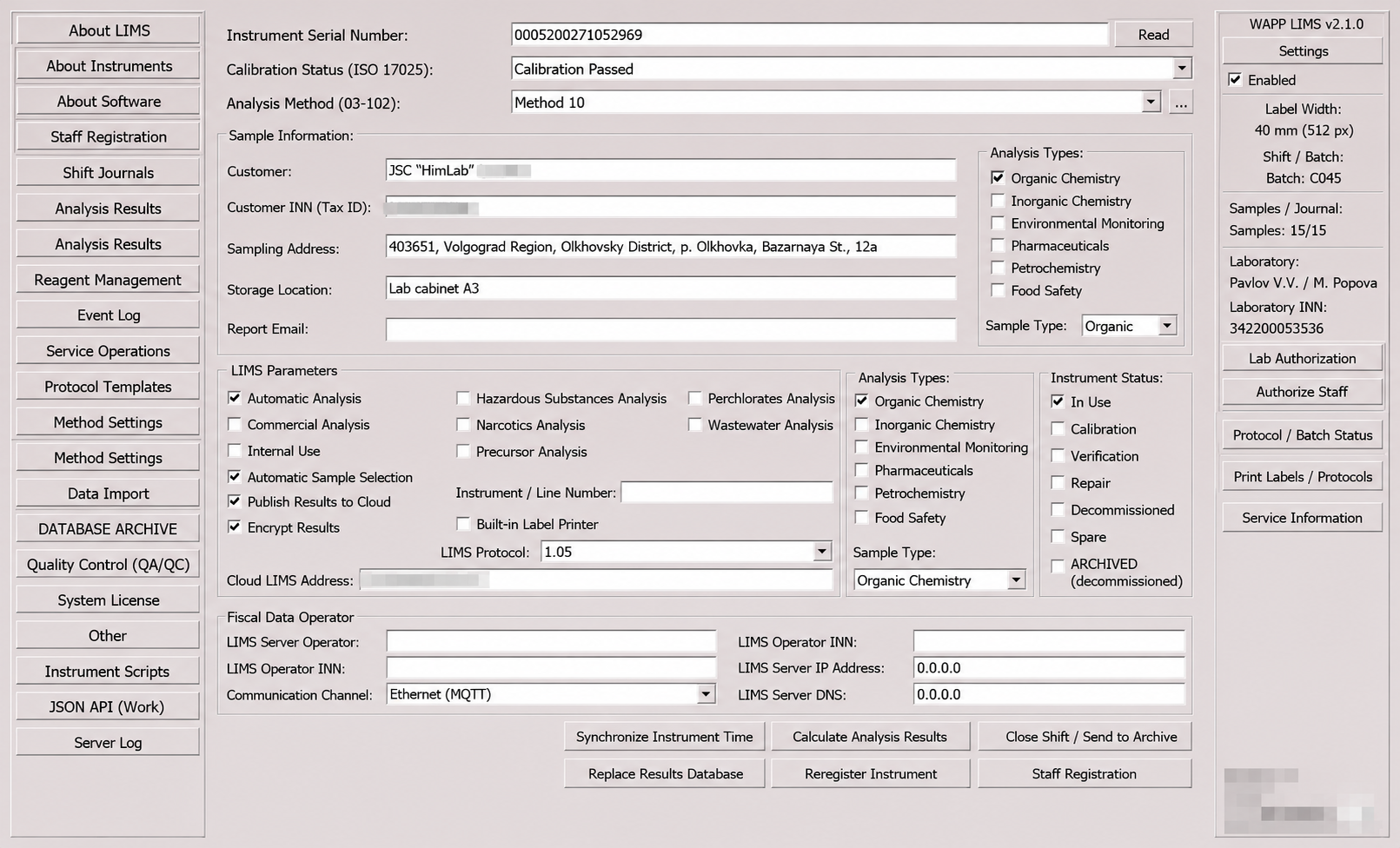
The change that kills sabotage is instrument capture: LIMS talking to analytical balances and titrators. WAPP can ship that integration. The analyst no longer types: they place the vessel on the balance, press the instrument button, and the value lands in the protocol record.
0 seconds
Time to retype a reading
3× faster
Report assembly speed
up to 100%
Typo reduction on capture
How to automate internal quality control under ISO/IEC 17025
The hard part for accredited labs is ISO/IEC 17025: internal quality control, control charts, and a scrupulous Audit Trail that often paralyzes core work.
Take internal QC for organoleptic methods. Assessors regularly ask for proof of daily staff fitness checks — for example, confirming no cold or allergy before tasting. On paper that becomes endless formal logs filled after the fact. In a well-designed LIMS the step sits in morning sign-in: the system can capture temperature or a health confirmation and build an electronic fitness log. The same idea applies in microbiology: media QC can be digitized so staff stop writing it by hand.
Boxed products often implement logging “head-on”: the app forces an explanation and an e-signature for every tiny action. That irritation is earned.
Good architecture makes the trail a background process. If an analyst corrects a parallel determination after a technical error, the system stores in a protected table who changed what, when, from which IP, and which value.
Another barrier is mandatory export into national registries. Many food and veterinary labs still duplicate results from tables into government information systems. That is double work and typo risk. With an open API you can send validated protocols to those portals in one click.
When inspectors arrive, staff should not rewrite paper journals overnight. An admin exports the audit log for the period and shows a clear process trail. A digital contour protects the lab during assessments.
The hidden cost of owning a boxed LIMS
When picking software, leadership often looks only at the license price. A ready LIMS looks like a bargain. The devil is total cost of ownership (TCO).
A cheap “box” means closed code and hard-wired processes. The moment the lab needs a non-standard formula for a new method, or an integration with corporate ERP, each customization hour costs heavily — and support queues stretch for months.
Business processes are often unique. For the Fiftyfour coworking network we built custom booking and accounting; the Xstreet marketplace needs complex payment splitting. Boxed tools do not absorb that without a full rewrite.
Custom LIMS costs more upfront and pays back because it follows lab processes. The lab does not pay for hundreds of unused features and gets an open API for future integrations.
Free LIMS for small labs
For small labs of roughly up to 10 people we can provide a base, non-editable LIMS free (the version we showed on a webinar) and do light adaptations in exchange for detailed feedback.
To request access, submit a form on the site and write in the message: “Free LIMS for small labs.” The offer is limited; we may decline access without explaining the reason.
How server architecture affects LIMS speed
IT teams are not flawless. In 2021 WAPP built Maller — a service for ad cost planning and keyword collection. Chasing perceived UI speed, engineers moved heavy computation into the browser. On developer machines it flew. In the field — cheap tablets and office laptops — the UI stalled.
The team rewrote the architecture: computation moved to the backend; the frontend only rendered data. That experience changed how we design. For LIMS we now assume the app must feel instant even on weak hardware and unstable Wi‑Fi in a basement lab. Chromatography math and uncertainty calculations run on servers; the user gets a UI without freezes.
How digitized data helps the lab scale
Suppose LIMS is live. Staff know the UI, typing errors drop, protocols reach clients twice as fast. What do you do with the freed capacity?
Automation turns stored data into an asset. The system is no longer a number warehouse — it acts as a business analyst. Leadership sees cost per test including reagents, depreciation, and instrument time.
Hiring and onboarding get clearer too. Algorithms for analyst work live in the system, so a newcomer can follow a digitized procedure step by step from day one.
A lab director opens a dashboard and sees an equipment heat map. They notice a gas chromatograph sits idle on Tuesdays and Thursdays and run a targeted offer for those analyses. The lab can scale and take twice as many commercial orders without hiring more people.
How to make the rollout succeed
The main mistake before building LIMS is asking a vendor to “make it like that product, but nicer.”
Whether you buy a box or commission a custom build, you need a process map first. WAPP writes the specification: we interview lab staff, collect pain points, and document the workflow for every role.
If a hundred-page brief feels impossible, start simple: draw a process map (mind map). Trace the sample from courier arrival to closing documents in e-workflow. Say who does what at each step.
To simplify vendor choice, WAPP prepared a comparison table of popular market options.
It includes hidden criteria: seamless database export if you leave a vendor, and validation documentation for external assessors.
More on WAPP’s approach to lab software — on the chemical labs solutions page, the LIMS page, and the Spektrokhim case.